
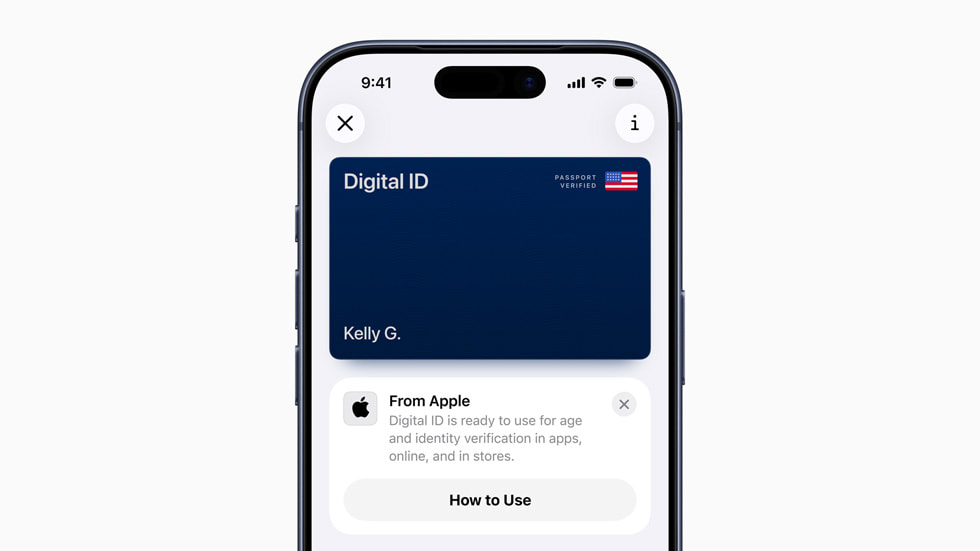
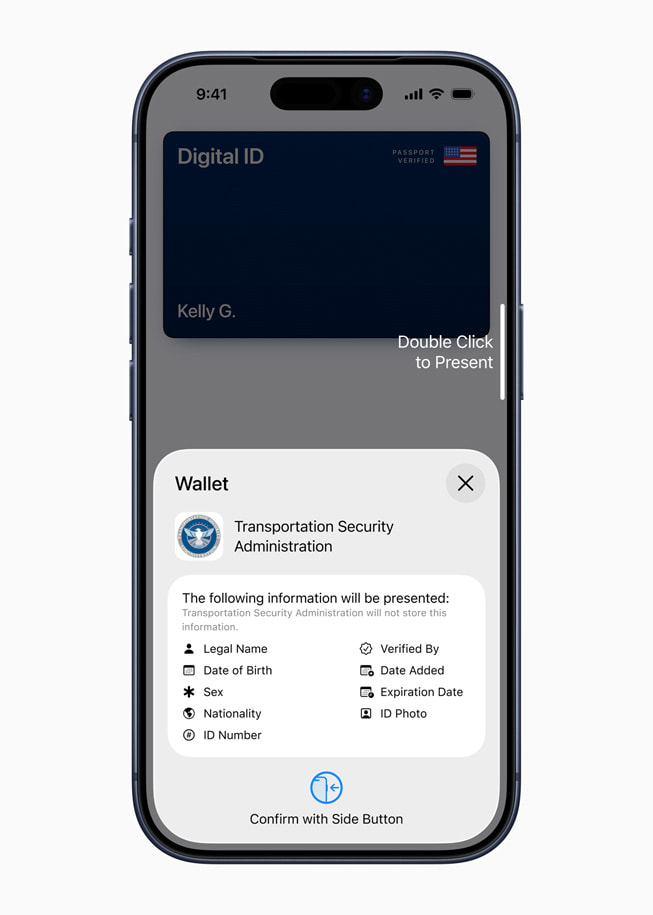
Apple today announced the launch of Digital ID, a new way for users to create an ID in Apple Wallet using information from their U.S. passport, and present it with the security and privacy of iPhone or Apple Watch. At launch, Digital ID acceptance will roll out first in beta at TSA checkpoints at more than 250 airports in the U.S. for in-person identity verification during domestic travel, with additional Digital ID acceptance use cases to come in the future.
Digital ID gives more people a way to create and present an ID in Apple Wallet even if they do not have a REAL ID-compliant driver’s license or state ID. Digital ID is not a replacement for a physical passport, and cannot be used for international travel and border crossing in lieu of a U.S. passport.
“With the launch of Digital ID, we’re excited to expand the ways users can store and present their identity — all with the security and privacy built into iPhone and Apple Watch,” said Jennifer Bailey, Apple’s vice president of Apple Pay and Apple Wallet. “Since introducing the ability to add a driver’s license or state ID to Apple Wallet in 2022, we’ve seen how much users love having their ID right on their devices. Digital IDs brings this secure and convenient option to even more users across the country, as they can now add an ID to Wallet using information from their U.S. passport.”
The launch follows the capability for users to add an eligible driver’s license and state ID to Apple Wallet. If users do not have a U.S. passport to create their Digital ID, they can still add an eligible driver’s license to Apple Wallet.
Adding Digital ID to Apple Wallet
Users can easily create and add a Digital ID to Apple Wallet using a U.S. passport. They start by tapping the Add (+) button at the top of the screen in Wallet on their iPhone and then selecting Driver’s License or ID Cards. They then select Digital ID and follow the onscreen instructions to start the setup and verification process.
Users are then asked to use their iPhone to scan the photo page of their physical passport as part of the process. They will also be asked to use their iPhone to read the chip embedded on the back of their passport to ensure the data’s authenticity. From there, they are asked to take a selfie for verification, and as another security step, they will also be prompted to complete a series of facial and head movements during the setup process. Upon verification, their Digital ID is added to Wallet.




Comments 1